-2-(3).png)
Common Issues When Working with Dropbox in NINEMAGS
-
I Can’t Find the Dropbox Folder
After NINEMAGS is successfully installed, you receive a link to your Dropbox folder.
Important details:
- The folder is created automatically
- It is created in the Dropbox account connected to the email used during setup
-
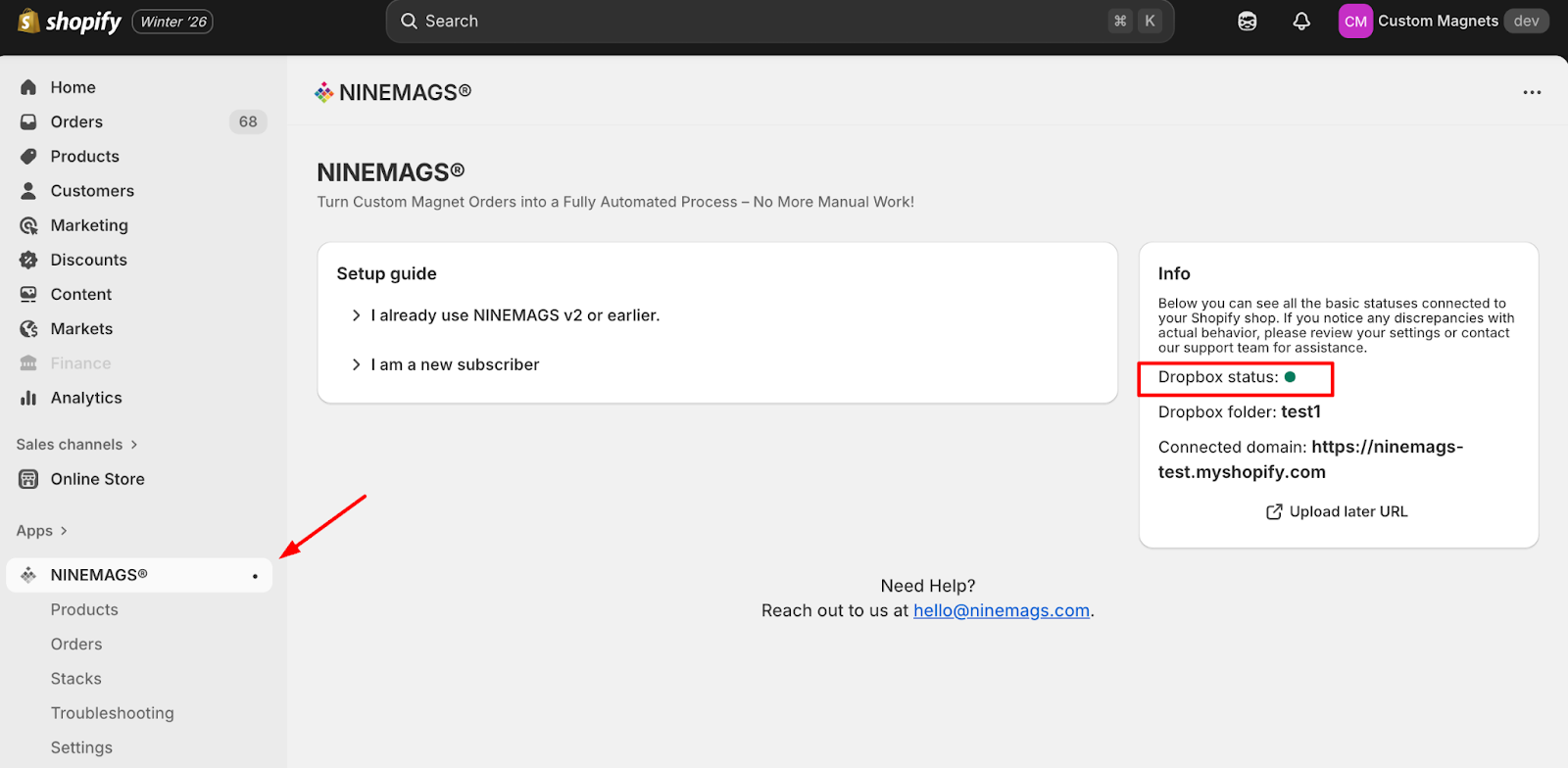
You can always check the folder name inside the app:
NINEMAGS → Info → Dropbox folder
-
Expecting to Change the Dropbox Folder Manually
This is not supported.
- The Dropbox folder is created automatically
- There is no field to edit or manually enter a folder name
- The folder location cannot be changed from the app
-
Not Understanding How to Check If Dropbox Is Connected
A common mistake is checking the connection only by looking for files.
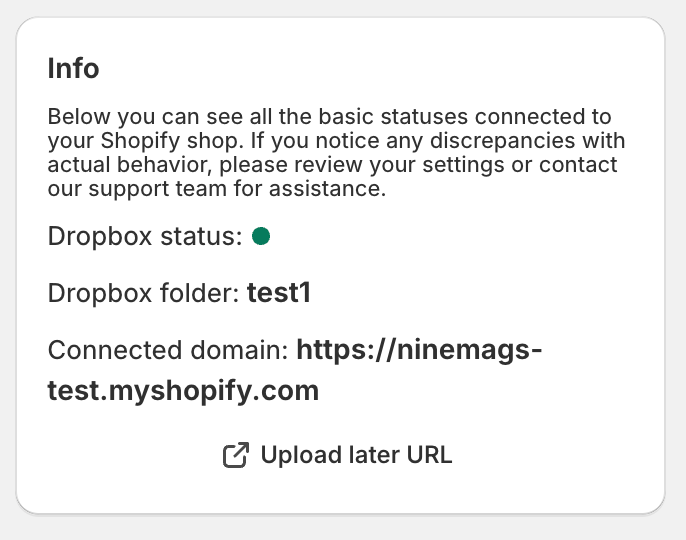
The correct way to verify the connection:
- Dropbox status shows a 🟢 green indicator
- A Dropbox folder name is displayed in the Info block
If both are present, Dropbox is connected correctly.
-
Expecting Files Immediately After Installing NINEMAGS
Files do not appear right after installation.
Files are created only when:
- an order is placed and paid
- images are uploaded for that order
If no order exists or no images were uploaded, no files will appear in Dropbox.
-
Print Files Look Different Than Expected
In most cases, the issue is not related to Dropbox.
You should check the product settings in NINEMAGS → Products:
- selected Type
- selected Paper Format
- selected Size
- configured Upload amount
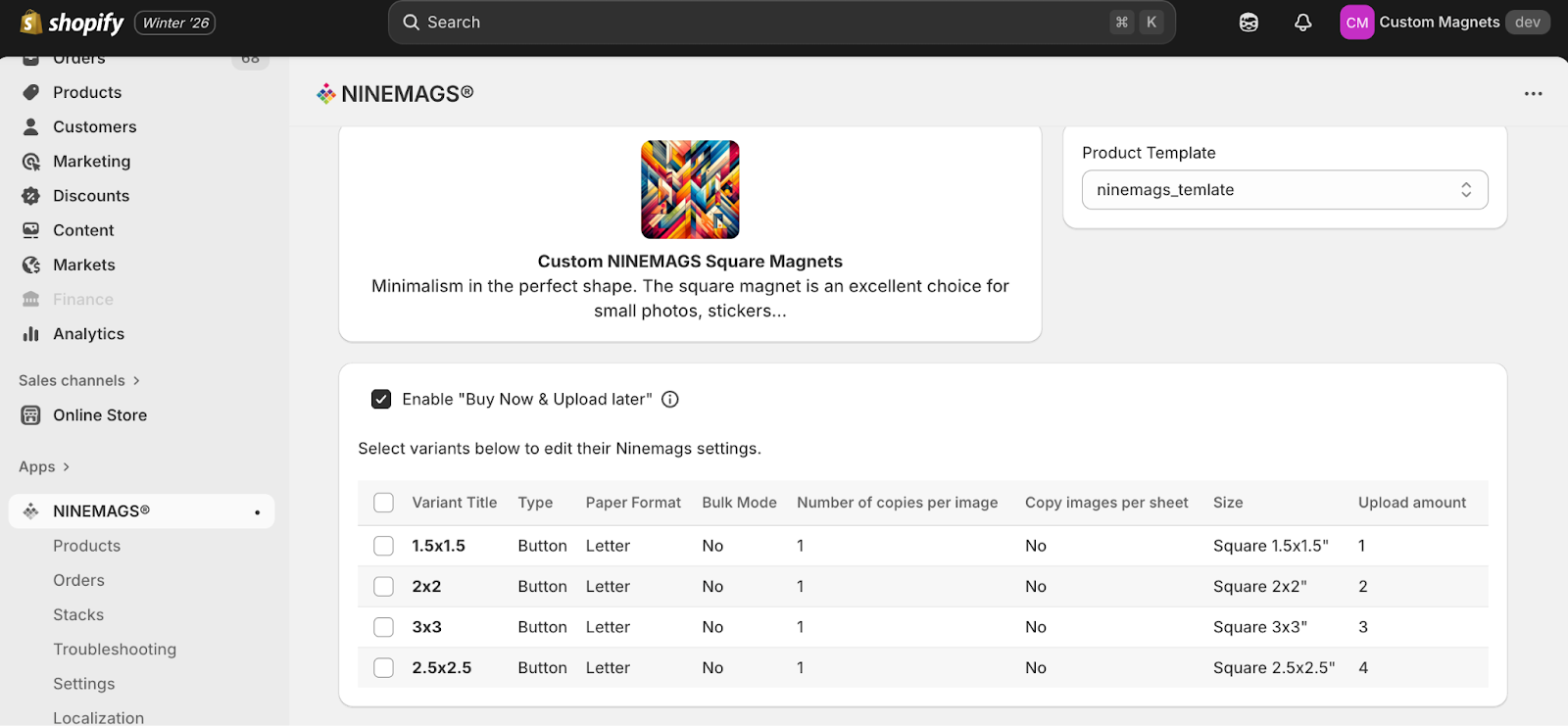
The files in the print folder always match the parameters configured for the order.