-2-(3).png)
How to Add Custom Registration Fields in NINEMAGS® Live
What is it?
In NINEMAGS Live you can not only collect information such as Email or Phone number, but also add a custom field for the collection of data from your customers, such as names, addresses, and anything that you need!
How do I set it up?
- To start, open your event from Events tab by simply clicking it.
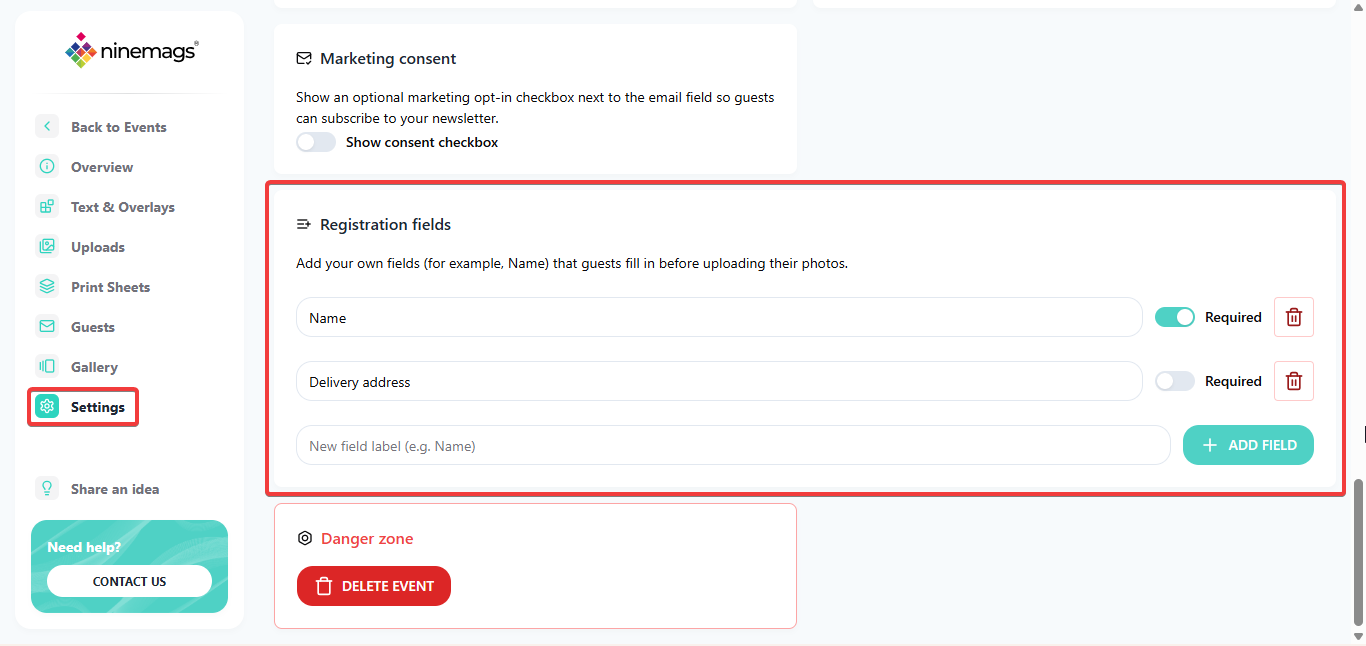
- Navigate to Settings at the bottom-left.
-
Once there, scroll to the very bottom. Above the Danger Zone, you will find the Registration fields.
-
To start - simply enter a name of your field, and click Add Field:

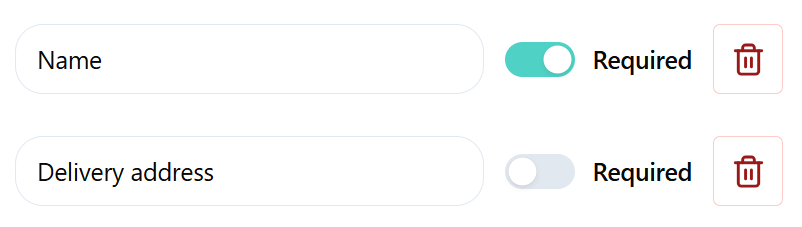
- Once it has been added, you can:
-
Toggle if it is a mandatory field, or optional:
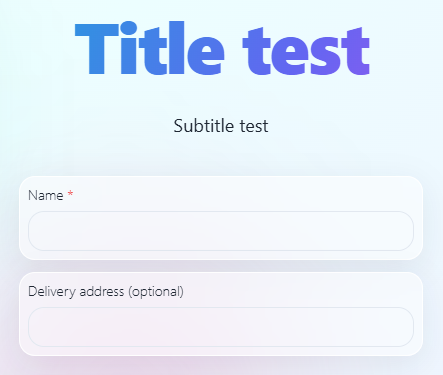
All not required fields will have (optional) added next to it:
- As well as add an additional field by entering a name for a new field, and clicking on Add Field
- All done! New fields will be automatically applied and become visible once a QR code has been scanned, and a product has been selected!