-2-(3).png)
Preview: How It Works and How to Check It
What is Preview?
Preview is a visual pre-check of the print template generated by NINEMAGS.
It shows how the final product will look with uploaded images before a customer places an order.
Preview helps you make sure that:
- images are placed correctly,
- cropping looks right,
- files are ready for printing.
Step 1. Open the NINEMAGS product list
In your Shopify admin, go to:
Apps → NINEMAGS → Products
Step 2. Select a product
Click Select Product and choose the product you want to check from your Shopify product list.

Step 3. Choose a variant
After selecting a product, you will see a list of its Variants.
Check the checkbox next to the variant that has image upload enabled.
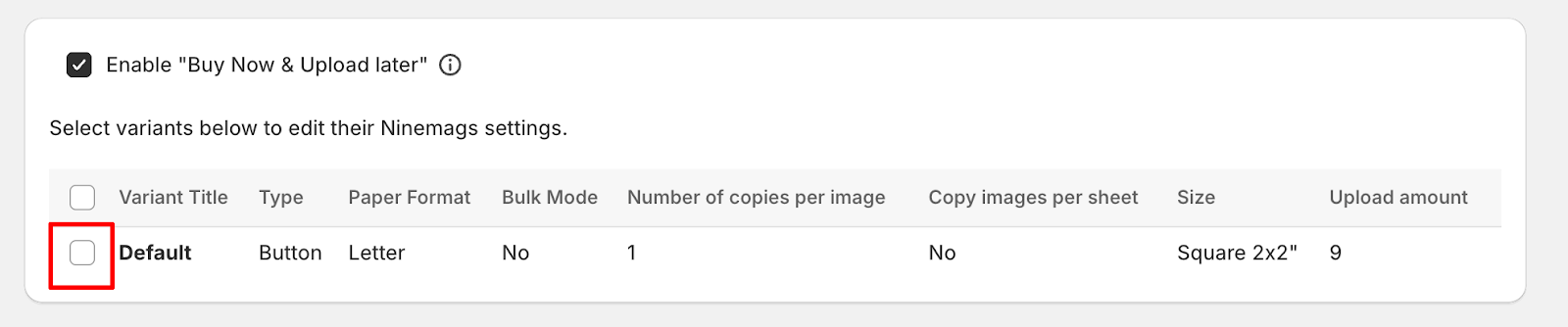
Step 4. Open Preview
Once the variant is selected, the Preview button will appear on the right side of the interface.
Click Preview to generate the preview files.
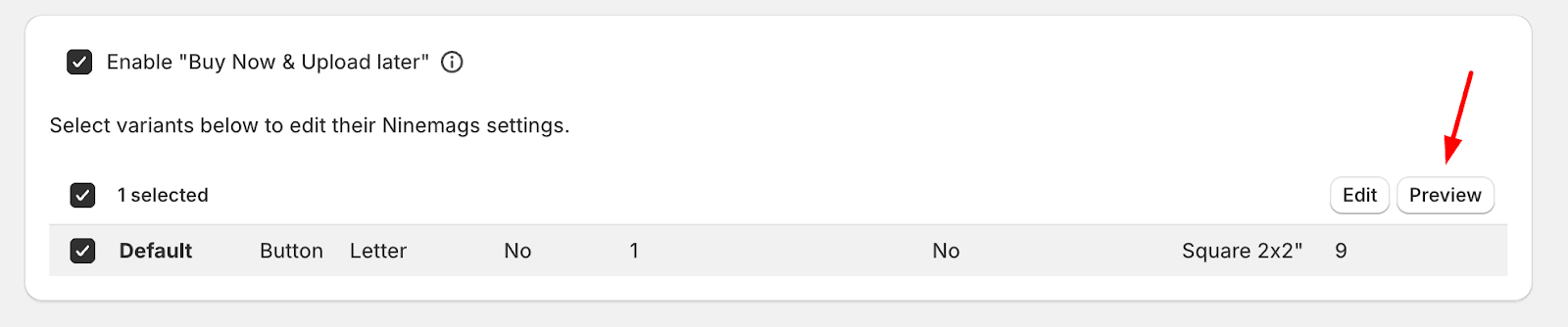
What Happens When You Click Preview
When you click Preview, NINEMAGS automatically:
- builds the product template,
- inserts the uploaded images,
- generates preview files.
As a result, a ZIP archive is created.
What’s Inside the Preview ZIP File
You can:
- download the ZIP file,
- open it on your computer,
- review the final layout.
Inside the ZIP archive you will find preview files that show exactly how the product will look when printed.
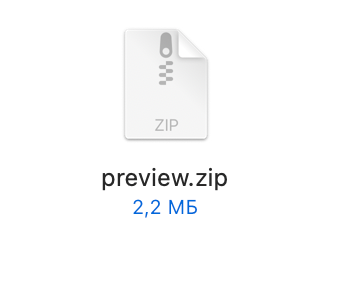
How to Check That Preview Works Correctly
Preview is working correctly if:
- the Preview button appears after selecting a variant;
-
the ZIP file is generated and downloads successfully;
inside the ZIP file:
- preview files are present (PNG),
- the template size matches the selected NINEMAGS template,
- images are positioned correctly,
- there are no empty or broken files;
- the preview matches your expected final product.
If the Preview Button Does Not Appear
Please check the following:
- the product is connected to NINEMAGS;
- a variant is selected in the NINEMAGS block;
- changes on the product page are saved;
- there are no theme errors or conflicts with other Shopify apps.
Result
Preview is a control step that allows you to:
- check the print template without placing an order,
- make sure files will be prepared correctly,
- avoid printing errors before production starts.