-2-(3).png)
How to reorder products in your store
How to reorder products in your store
What this is
In NINEMAGS Pages, you can arrange the order, in which customers see your products on the storefront.
How do I do it?
- Open NINEMAGS Pages.
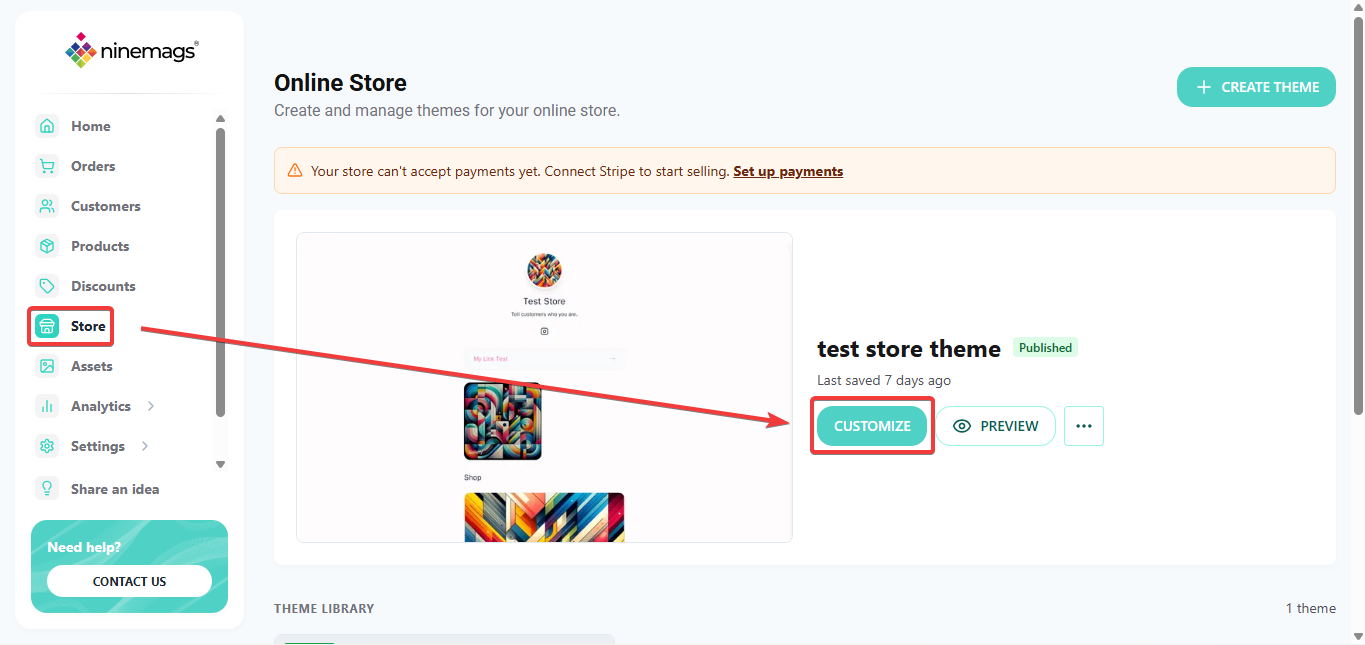
- In the left menu, click Store.
-
Click Customize to open your theme editor.
-
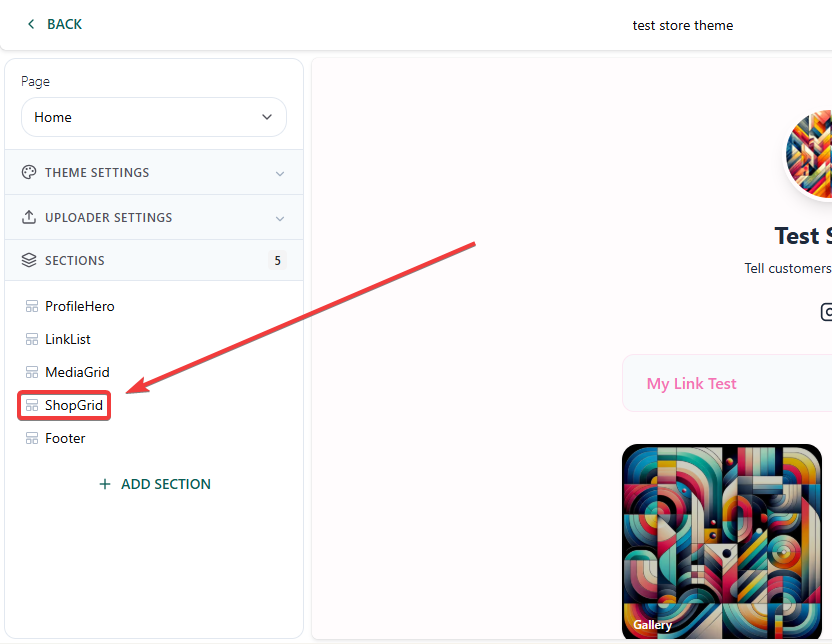
In the page preview, find the ShopGrid block and click on it.
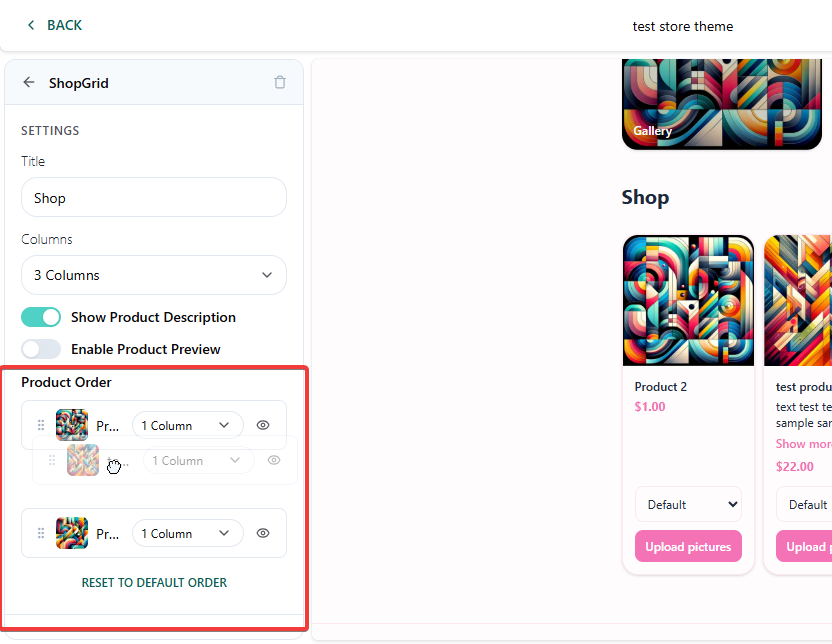
- Find Product Order at the bottom.
- Hover over the product you want to move.
- Grab it by the handle icon on the left (preferably by the six dots) and drag it up or down.
-
The preview on the right updates right away — you'll see the new order.
-
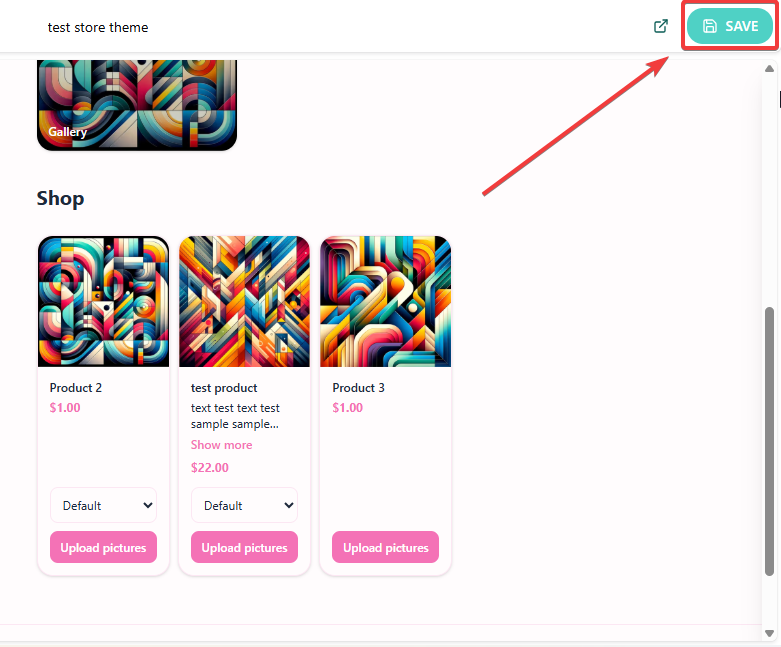
After you are done - click on Save at the top-right corner!
Good to know:
- The Product Order list shows every product in your store.
- When you add a new product, it appears in this list automatically. You can drag it to the position you want right away.
- Changes only take effect after you click SAVE in the top right corner of the editor.